sidebop texts
Useful texts.
Only when you ask.
sidebop has built a separate, optional consent flow for reminders about saved events and alerts about new events in geographic rings a signed-in user chooses. Availability is limited to separately enabled accounts and app builds.
Native iOS evidence · not a web form
One verified number. One separate, blank SMS choice.
When recurring texts are separately enabled for your account and build, opt-in occurs only in the native sidebop iOS app; this webpage is a read-only evidence gallery. These six screenshots document the built flow that would apply after that separate activation: a person would first enter a mobile number for one-time account verification only; the signed-in consent form would then display that verified destination in a masked, read-only phone-number field above a separate SMS checkbox. The checkbox would be blank on every opening, Turn on texts would remain disabled until the user checked it, declining would leave SMS Off, and only submitting the checked form would change the setting. The captions below describe captured UI states, not a currently available production path.
Exact label beside the unchecked SMS box
I agree to receive recurring automated text alerts from sidebop about saved events and geographic rings I choose. Message frequency varies. Message and data rates may apply. Reply STOP to unsubscribe or HELP for help. Consent is not required to create an account, connect my phone, make a purchase, or use sidebop.
-
Before consent · verified destination shownThe phone-number field is present and the SMS checkbox is blank. The read-only field identifies the already-verified destination. Directly below it, the separate SMS-only checkbox is unchecked and Turn on texts is disabled. The user has not consented. 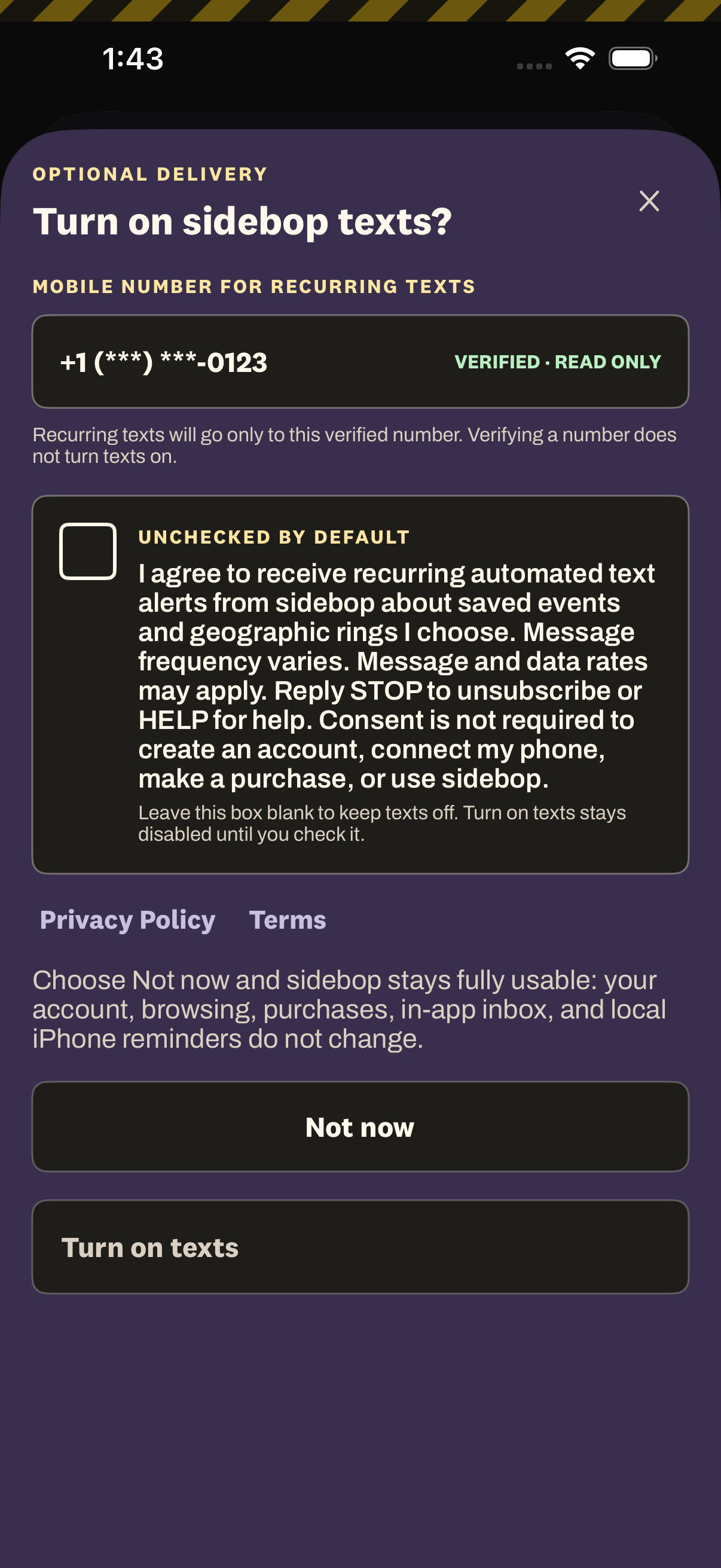
-
Earlier step · authentication onlyThe user enters a mobile number for a one-time code. This screen collects the number for phone verification and account access. It contains no recurring-SMS checkbox, and requesting or completing the one-time code does not grant recurring consent. 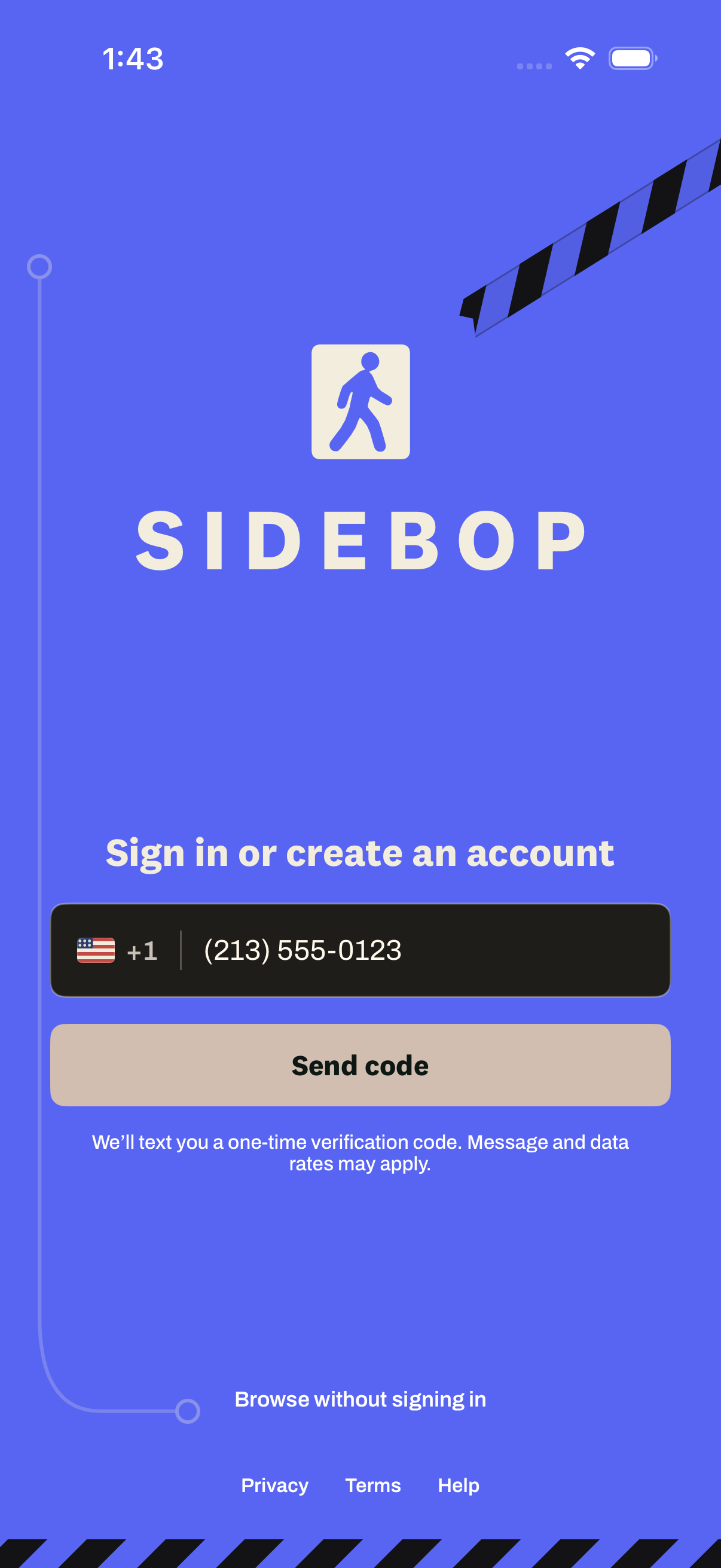
-
Before consent · server preference OffRecurring SMS starts Off. After verification, Profile shows sidebop texts Off before the user opens the dedicated consent form. Account access and other notification channels remain separate. 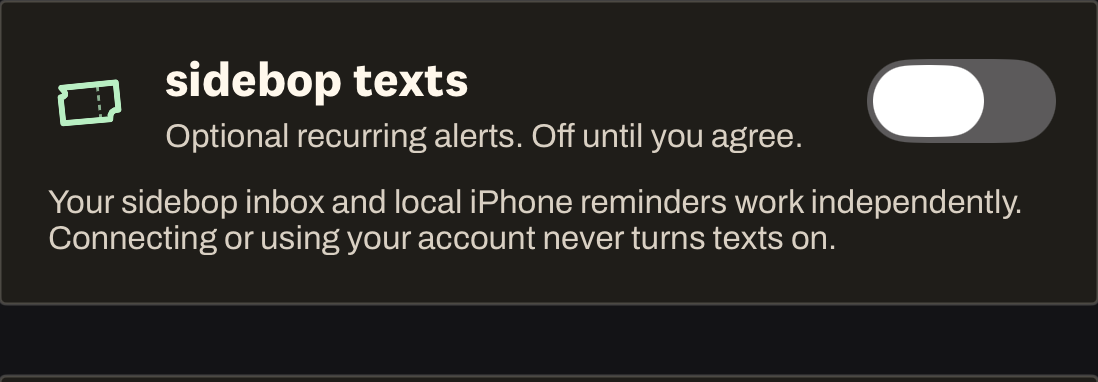
-
User action · deliberately checkedChecking the box enables submission. The same masked, verified destination remains visible. Only the user can change the empty SMS box to checked, and only then does Turn on texts become available. 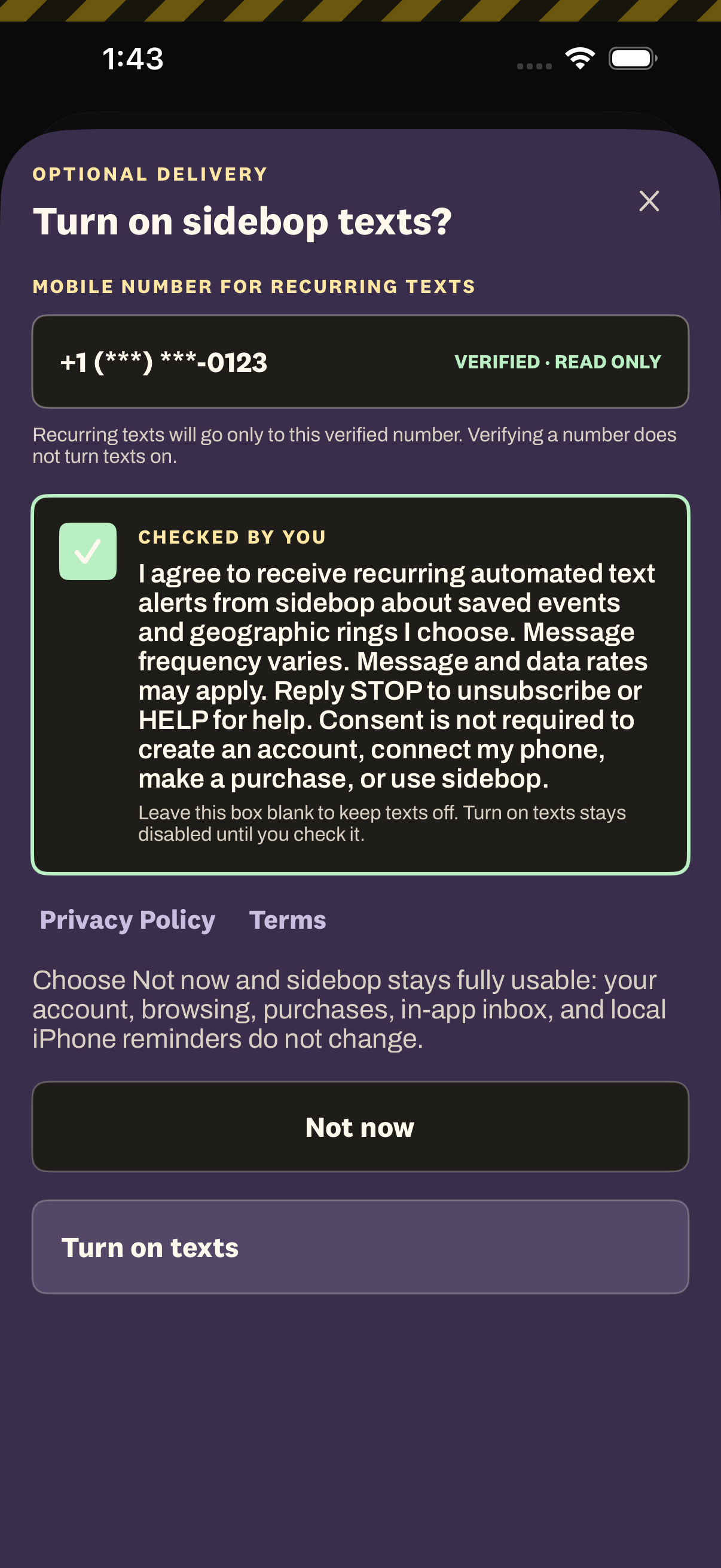
-
Declined · SMS remains OffNot now records no consent. Declining closes the form, leaves recurring SMS Off, and does not restrict the account or any non-SMS feature. 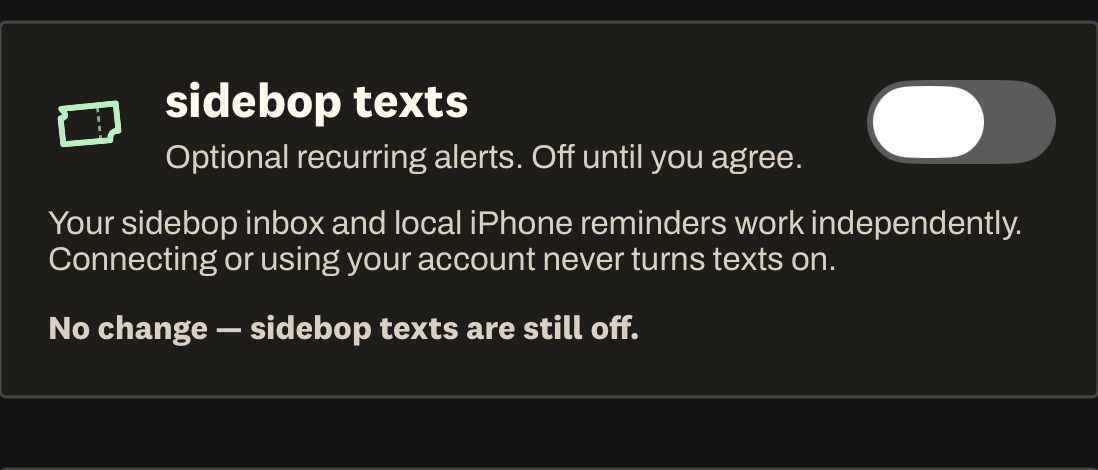
-
After checked submission · SMS OnOnly checked submission changes the setting. After checking the box and tapping Turn on texts, Profile shows the server-backed preference On with a one-action way to turn it off. 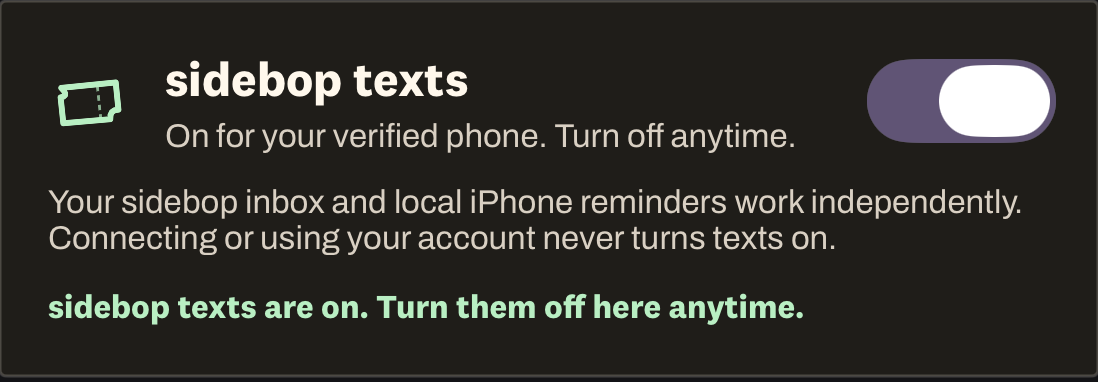
The flow
One number. Two separate choices.
-
Verify for account access
sidebop may send a one-time code after a person enters a supported US mobile number in the app's US mobile number field. The app says: “sidebop will text this number a one-time verification code. Message and data rates may apply.”
That code is authentication only. Requesting it does not opt anyone into recurring sidebop texts.
-
Choose texts separately
If the feature is separately activated, recurring texts will be off by default. A signed-in user will open Profile, choose sidebop texts, and see the already-verified destination in a masked, read-only field labeled Mobile number for recurring texts. Directly below it, the user will review the disclosure shown above, deliberately check the blank SMS box, and then tap Turn on texts. The button will remain disabled until the checkbox is checked. Selecting Not now will leave SMS off and will not restrict the account.
-
Change your mind anytime
If the feature is separately activated and you later enable it, turn sidebop texts off in Profile or reply STOP. Reply HELP for help. Stopping recurring texts does not delete the account, unlink the phone number, prevent a separately requested login code, or remove account access.
Plain facts
No hidden enrollment
Frequency
Message frequency varies with saved events, selected rings, and matching event activity.
Carrier charges
Message and data rates may apply. Delivery, timing, and availability are not guaranteed.
Not required
Consent to recurring texts is not required to connect a phone, purchase anything, browse, maintain an account, or use sidebop.
Support and opt-out
Reply STOP to opt out. Reply START only to remove a carrier-level delivery block; it does not restore sidebop consent, so opt in again in the app. Reply HELP for help. You can also email hello@sidebop.com.